
A WordPress theme is a collection of templates and stylesheets that define the appearance and display of a WordPress-powered website. These themes control everything from the layout and design to the color schemes and typography, allowing users to customize their site’s look and feel without needing to delve into complex coding.
The importance of WordPress themes extends beyond mere aesthetics. They play a crucial role in enhancing the user experience, optimizing site performance, and ensuring mobile responsiveness. A well-chosen theme can significantly impact your site’s loading speed, navigation ease, and overall user engagement.
In this tutorial, we are installing a WordPress theme called Astra, which is one the most powerful free themes out there.
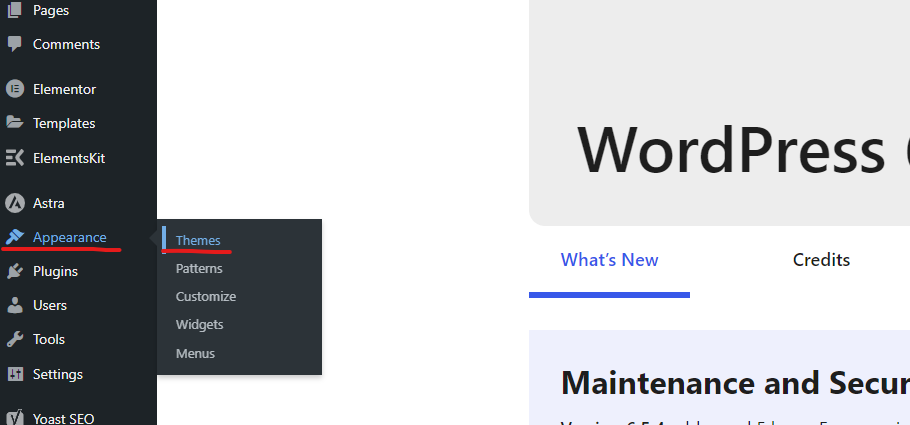
To start, go to your WordPress Dashboard, on your left sidebar you should see an option called Appearance, hover over it and select Themes:
You will see a button that shows “Add New Theme”
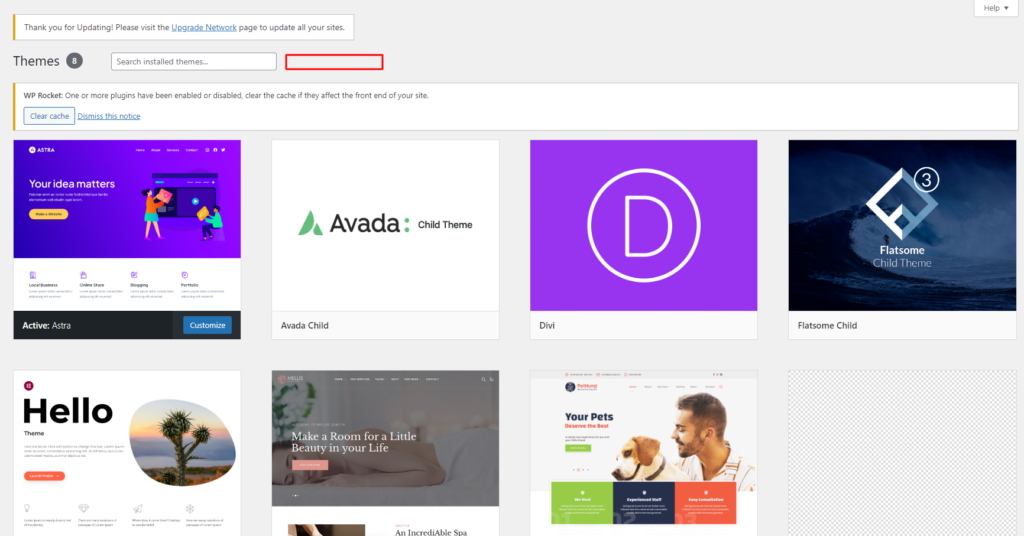
*Note: that button is not appearing in this screenshot because this tutorial is being made in a mulsite WordPress website, if this is your case, you can go to My sites – Network admin – Themes.
When you press on that button you should see all the options you haver for Themes. You can use the searchbar to search for Astra, then, click on install and activate.
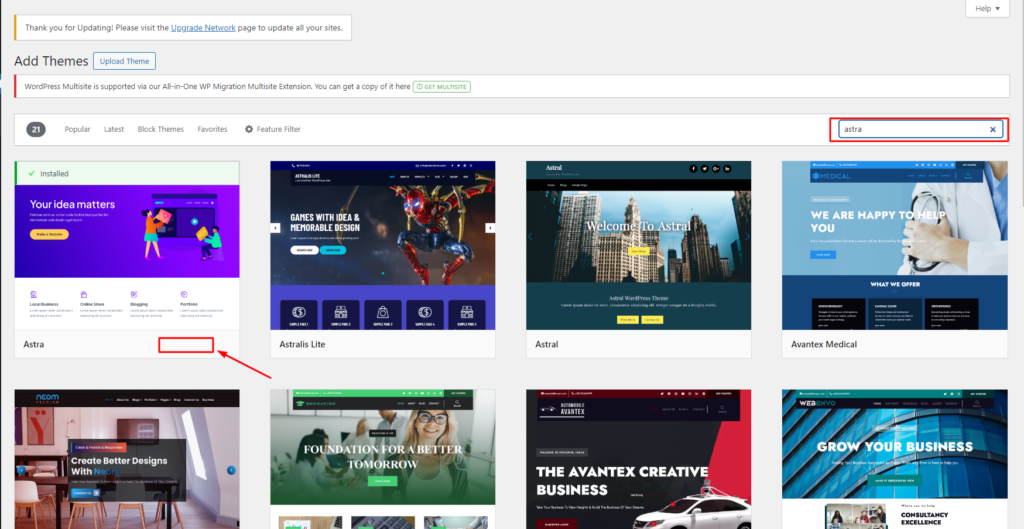
After this process, you may be prompted to a setup wizard, just skip everything and you will have a working Astra theme on your website.
Some common WordPress themes:
1.- Astra
2.- Hello Theme
3.- Avada Theme
4.- Divi Theme
5.- OceanWP


