
To retrieve a username from a database in Hostinger, you typically need to follow these steps using phpMyAdmin, which is a popular tool provided by Hostinger for managing MySQL databases:
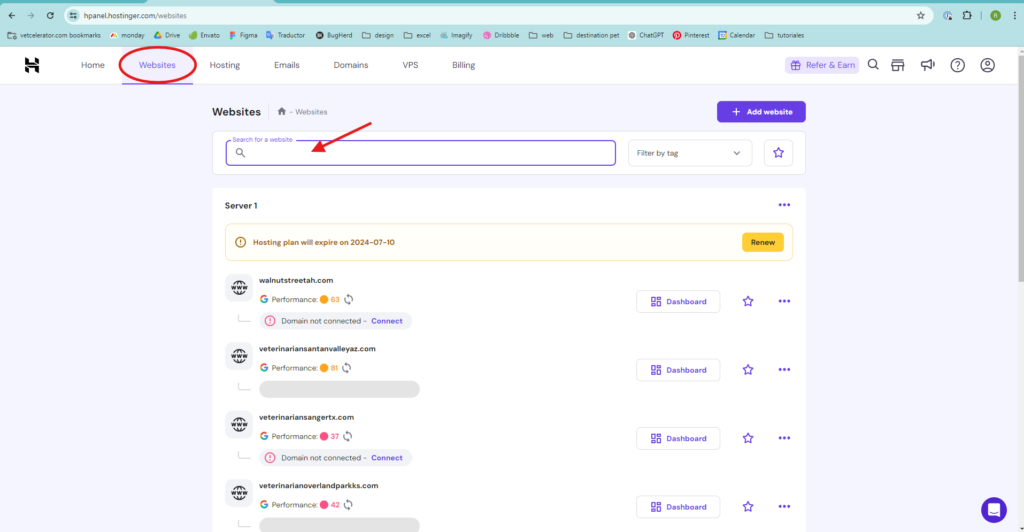
- Log in to Hostinger and click on Websites.
- Find the domain for which you will retrieve a username and go to the Dashboard.
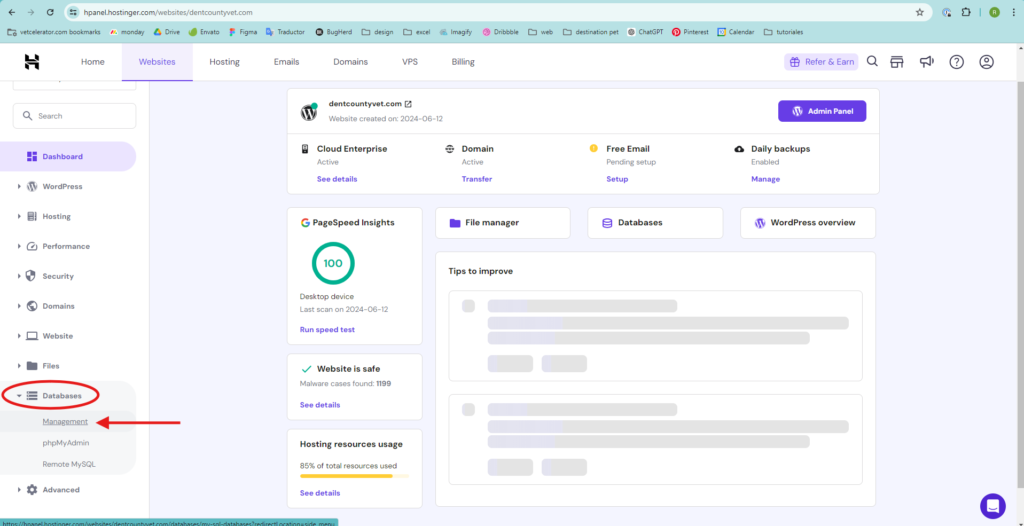
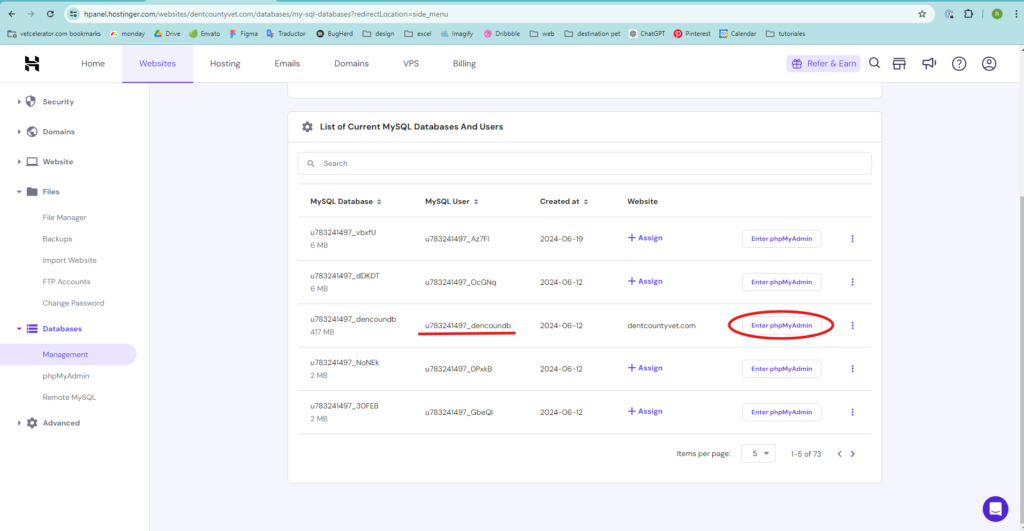
- On the bottom left side, find Databases and click on Management.
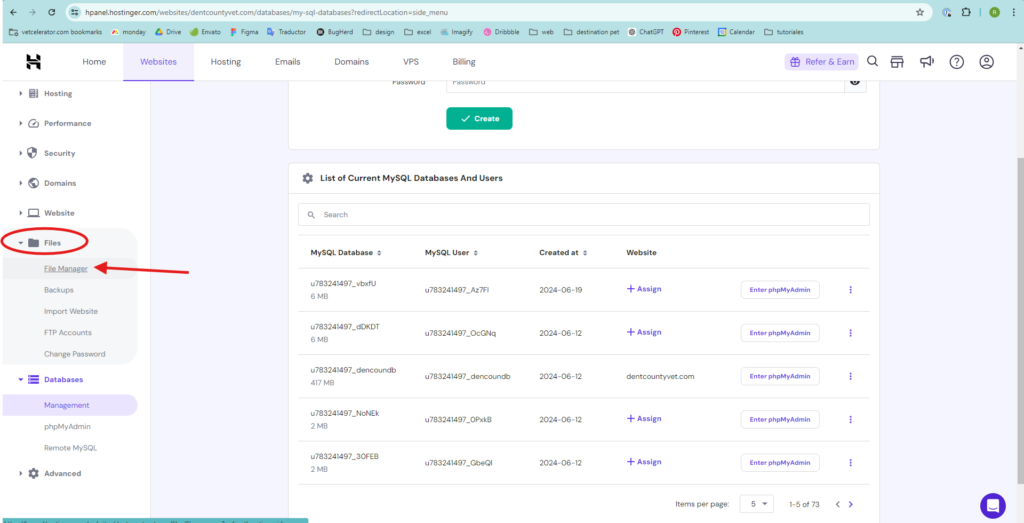
- Most pages have multiple databases. To find the correct one, go to Files and click on File Manager, then on Access files of “yourdomain.com” (this will take you to another page where all the files are displayed).
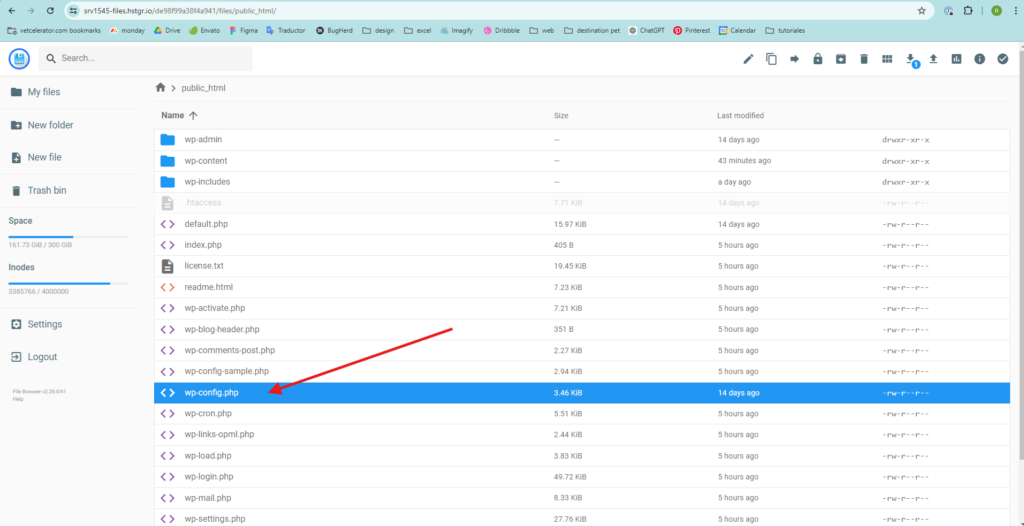
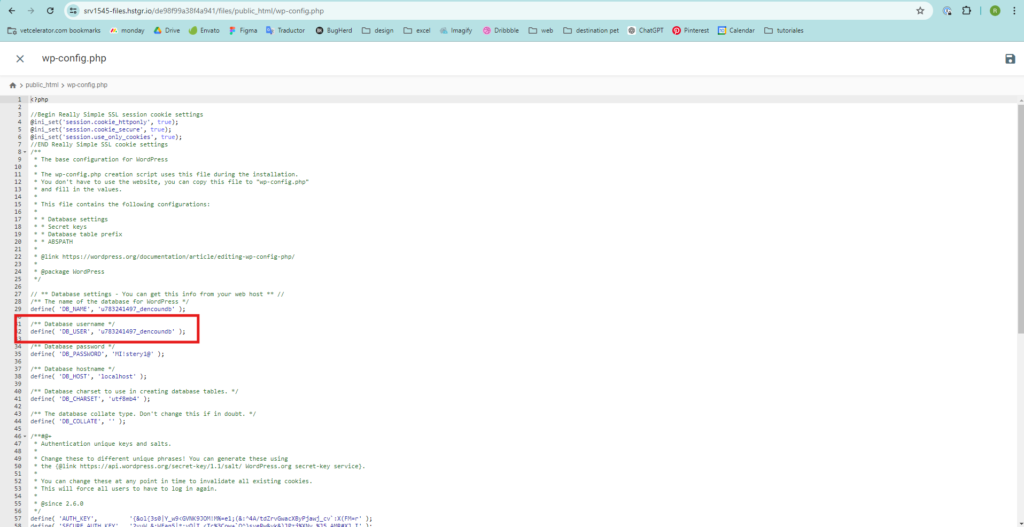
- Click on the public_html folder and open the wp-config.php file or configuration.php file (if the page is on Joomla!).
- Find the Database username, which you can locate in this way.
- After knowing your database, go back to Databases, then to Management, and click on “Enter phpMyAdmin.”
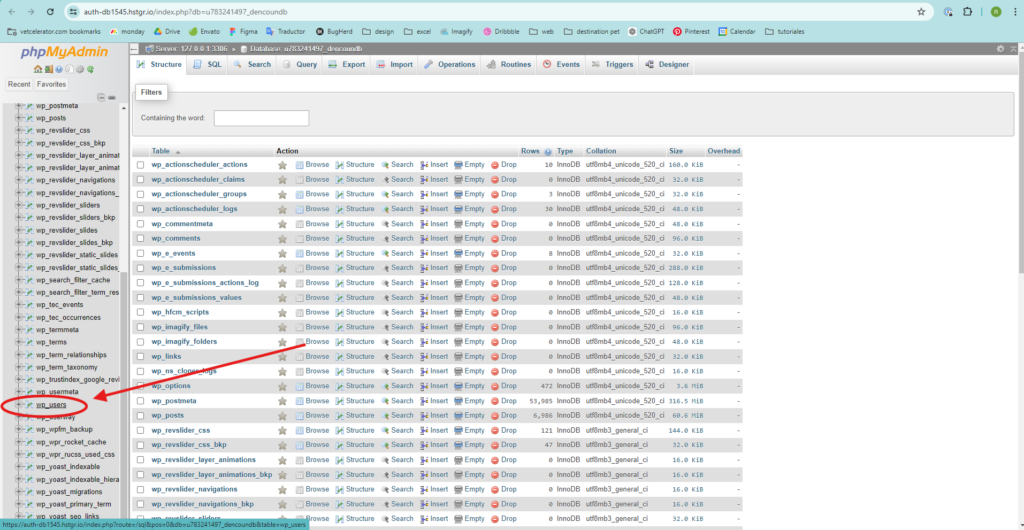
- It will direct you to phpMyAdmin. On the left menu, find “wp_users” and click on it.
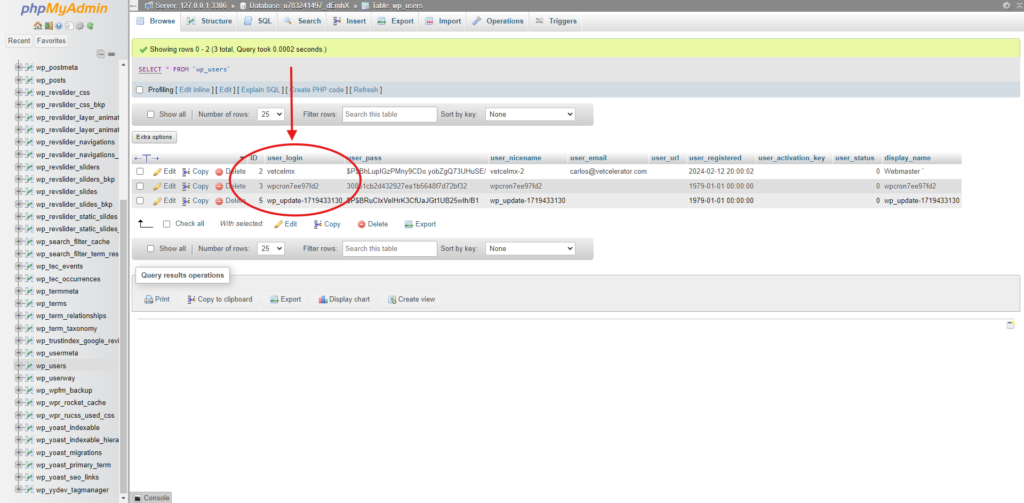
- Find the user being used to log in to the website administrator.
Notes: #
- Ensure you have proper permissions to access and query the database through phpMyAdmin.
- Modify the SQL query based on your specific table structure and criteria for retrieving the username.
By following these steps, you can retrieve a username from your database hosted on Hostinger using phpMyAdmin. Adjustments may be necessary depending on the exact structure of your database and the conditions you want to use for retrieving the username.


