
Let’s start:
In this tutorial, we will use the EasyBlog plugin to create the posts.
- Log in to your administrator.
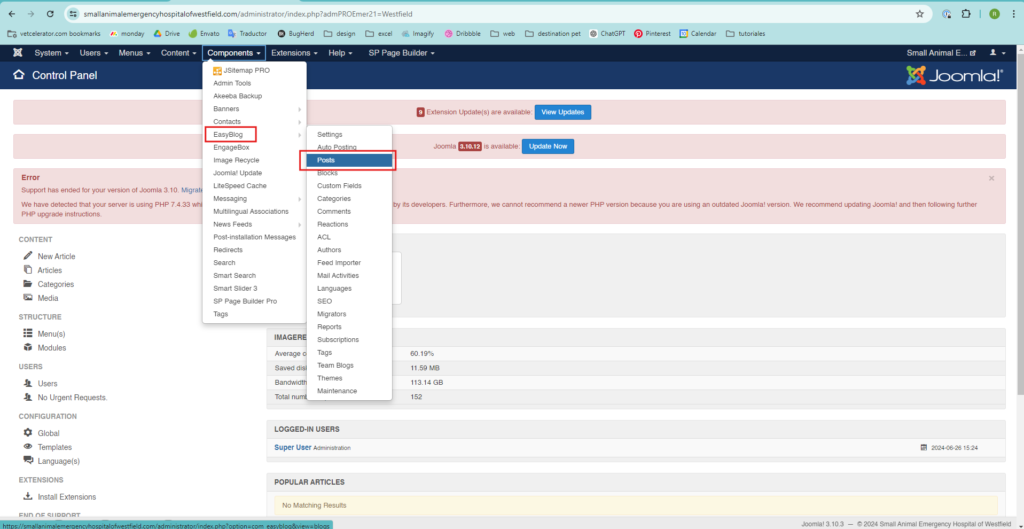
- Click on Components, find EasyBlog, and click on Posts.
(Joomla! has different versions, and you can find the menu either at the top or on the left side).
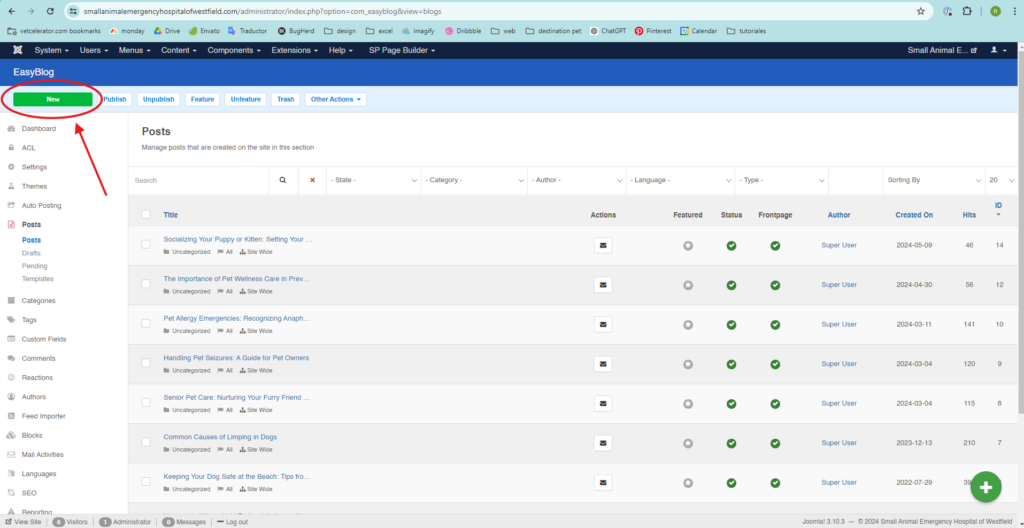
- Click on New, and the editor will appear for you to add the blog content.
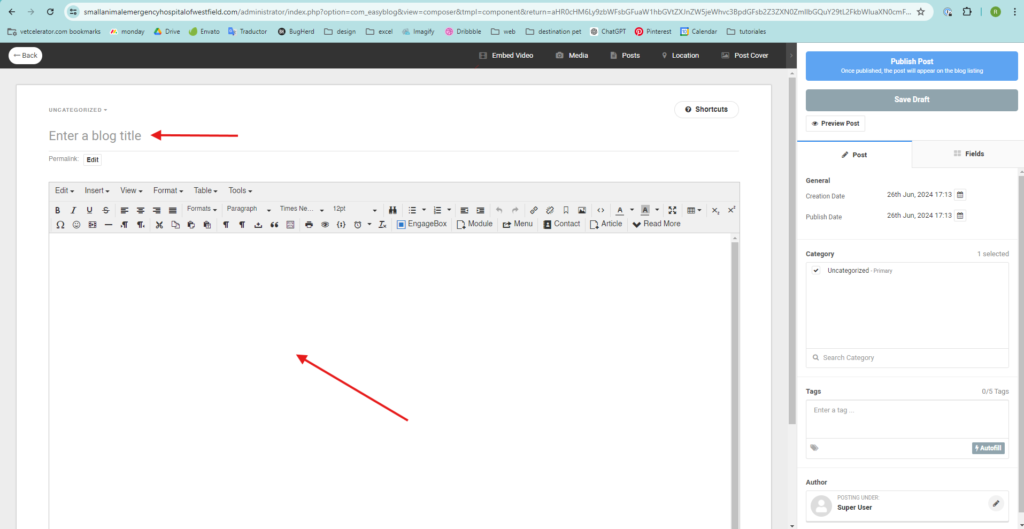
- In “Enter a blog title,” add the post title.
- In the blank space, add the content of your post.
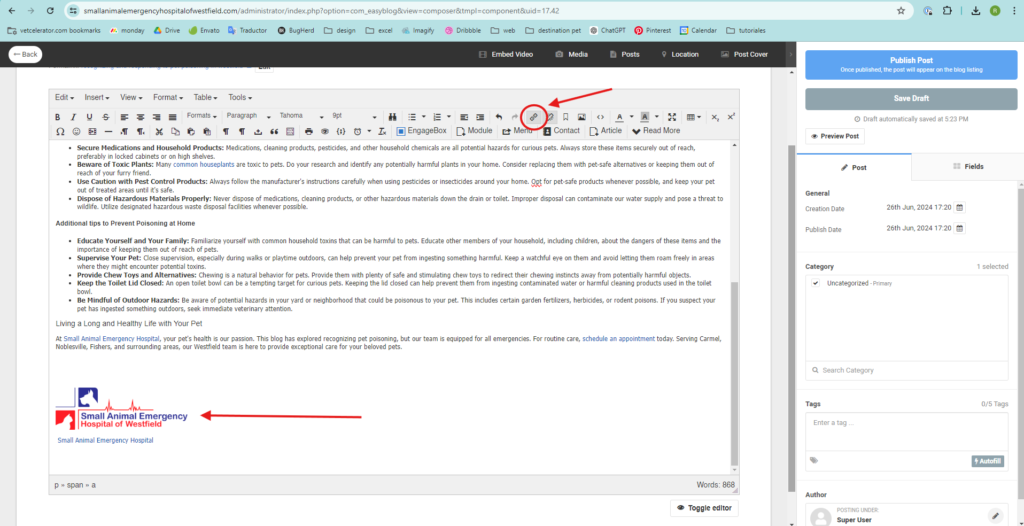
- At the end of the post, add the logo and the written name of the website (with a link to the homepage).
- Click on “Post Cover” and upload the image.
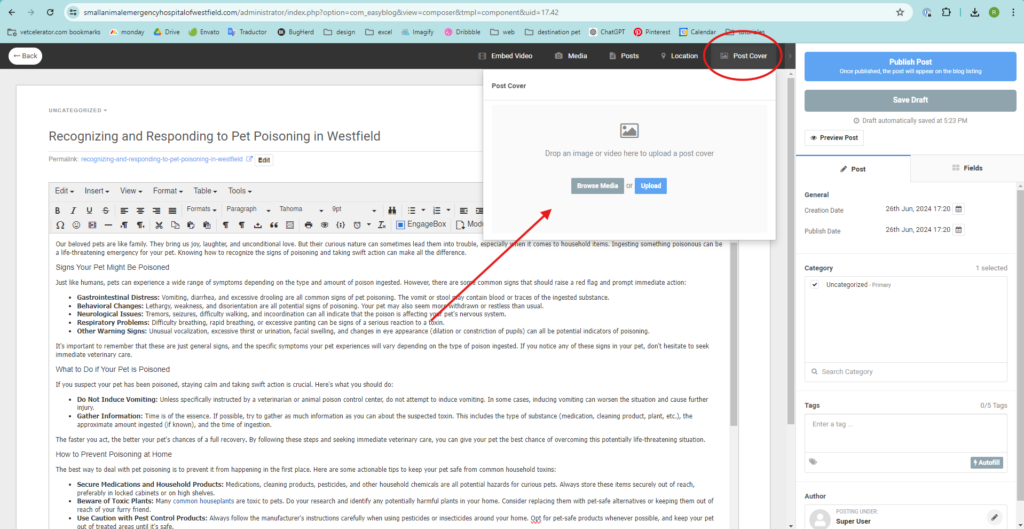
- In the upper right corner, click on “Publish Post,” and your post is published!
Remember to check the front end of the page to ensure that the post looks good and there are no errors.


