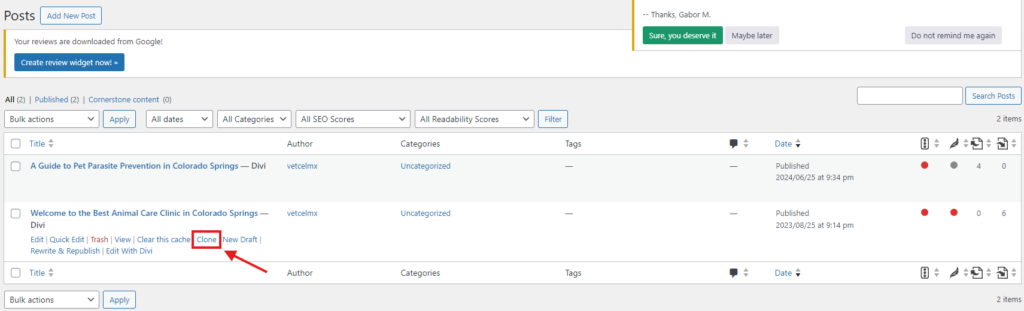
You will learn how to create posts in WordPress.
Let’s start:
- Log in to your admin panel.
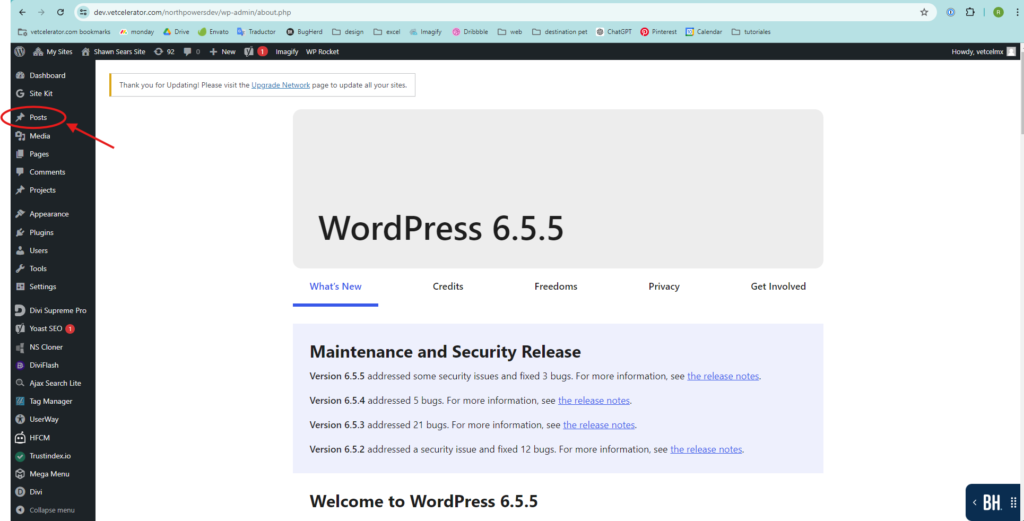
- Once inside, go to the menu on the left side and click on “Posts”.
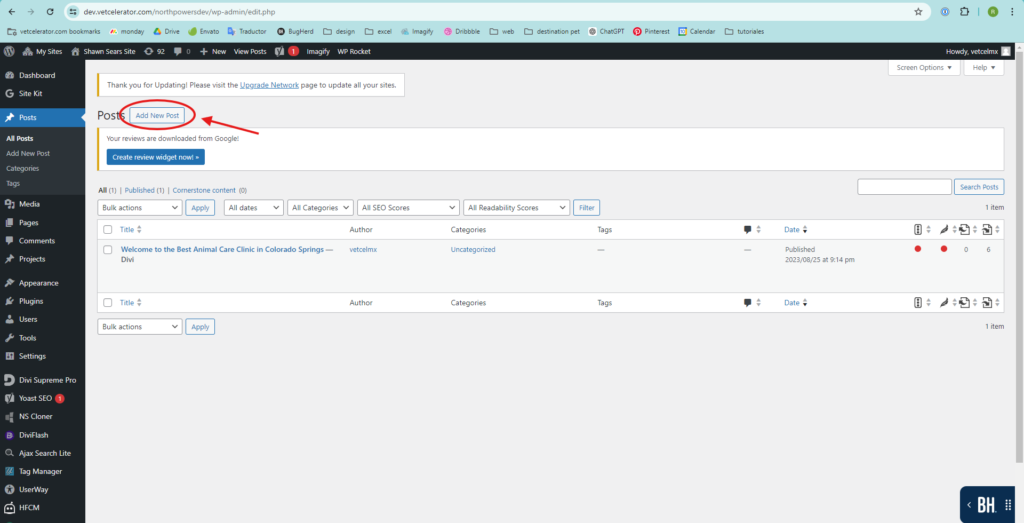
- At the top left, click on “Add New Post” to create a new post.
- In “Add title,” add the name of the blog.
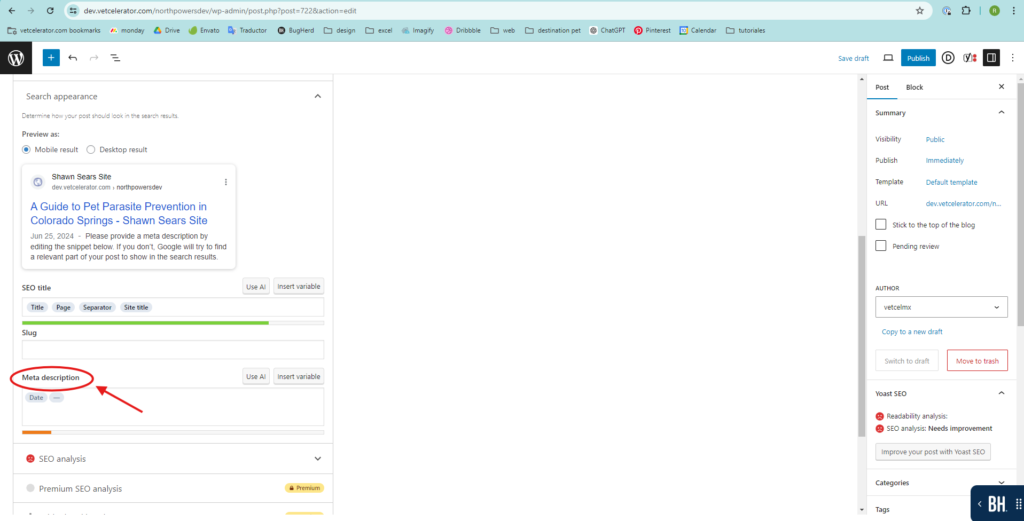
- Further down, you will find Yoast SEO, where you should add the Meta description.
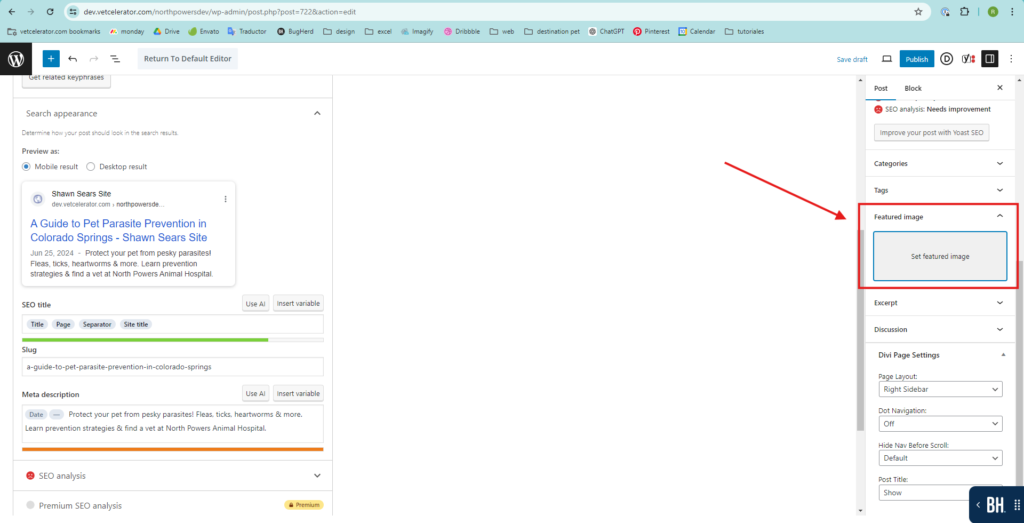
- On the right side menu of the post, there is the option for Featured image; here you add the post image (it will appear on the post’s cover and within the post).
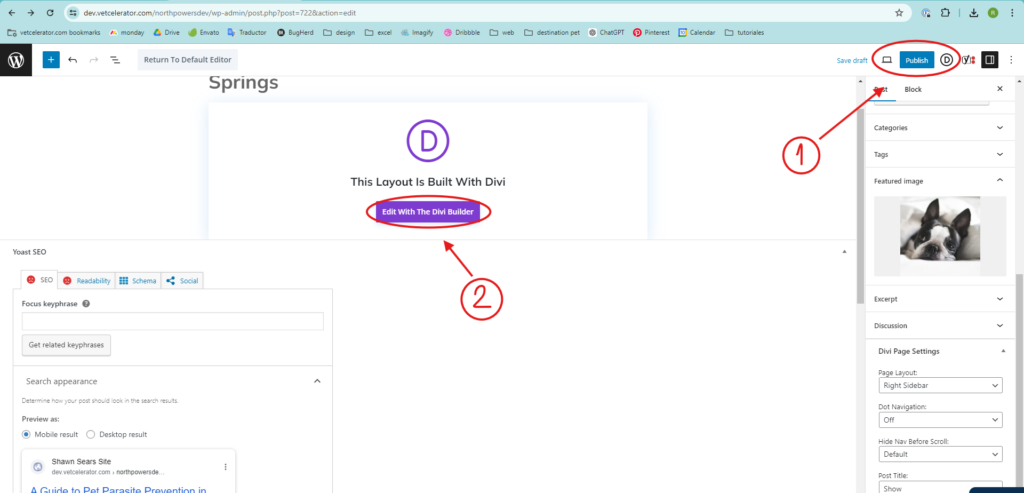
- Once you have the title, SEO, and image, click on Publish to publish the post. Then, enter the website builder you are using (Divi Builder, Elementor, or Avada). This option appears so you can edit from the front end of the website.
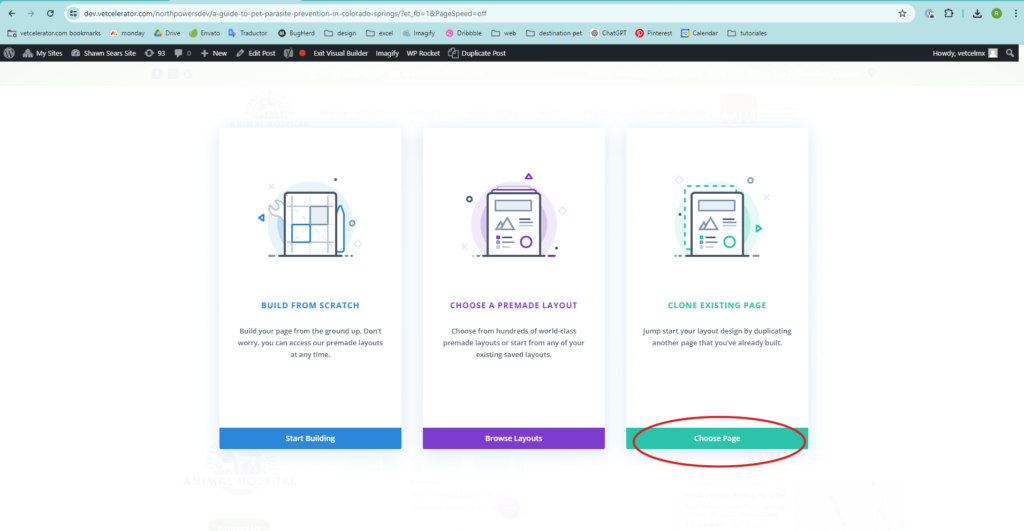
- Specifically in Divi Builder, when you enter, these options will appear. Click on Choose Page.
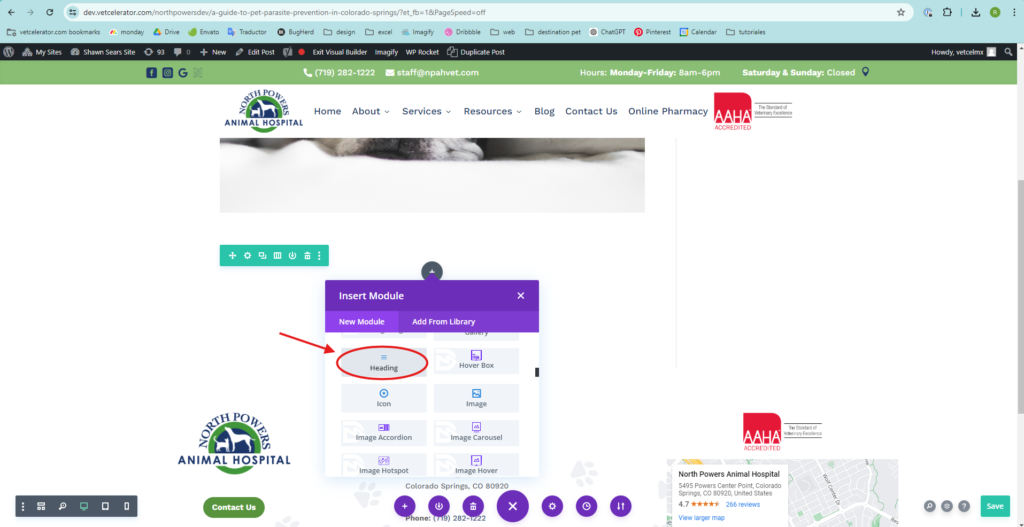
- On the front end, add a text box to include the content of the post.
- At the end of the post, add the logo and the written name of the website.
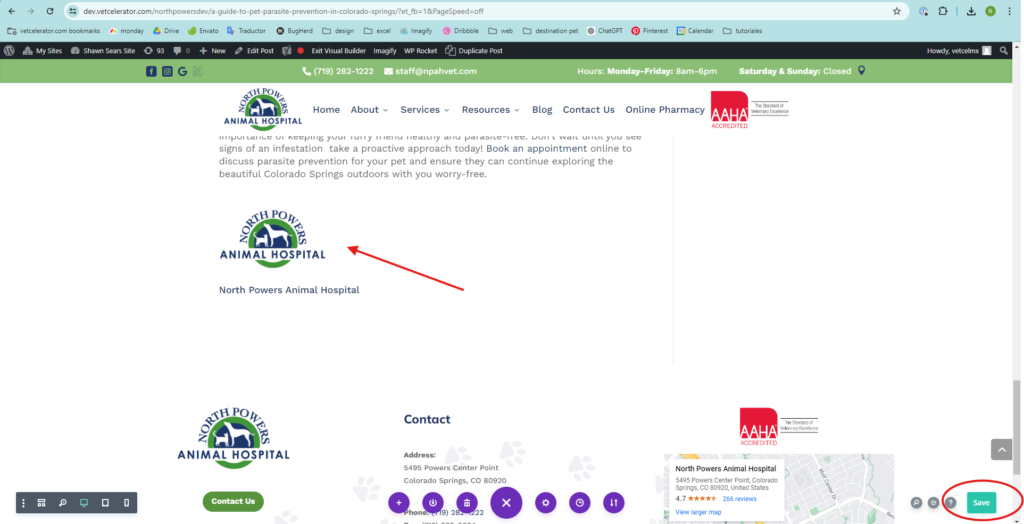
- Click on Save, and you’re done! Your post is published.
If the page already has published posts, you can duplicate a post and simply change the information.